Prefer to see the instructions in a Video?
This section describes the additional booking details needed to finalize your exam booking.
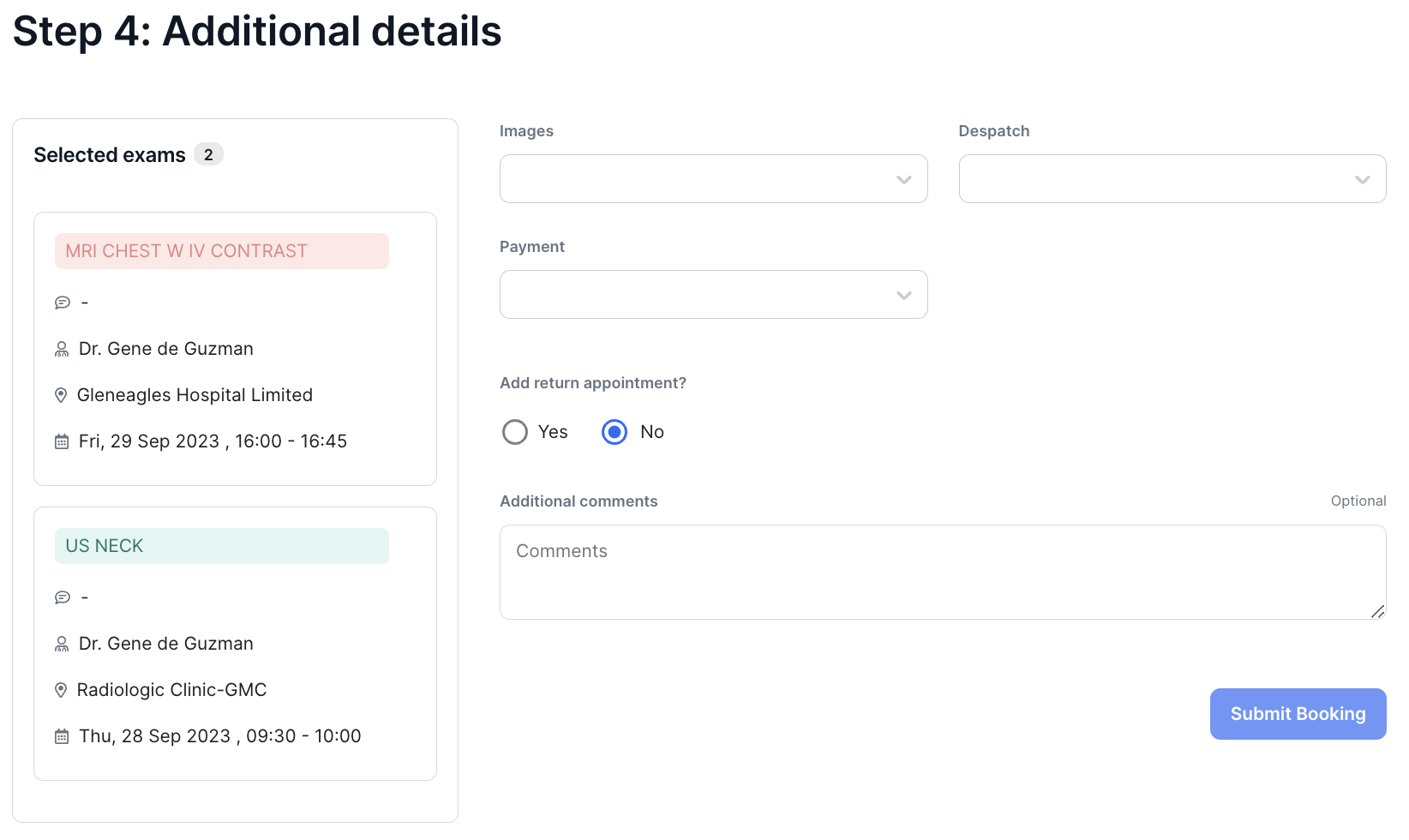
The left section contains the list of Requested Examinations already scheduled with the appointment details displayed.
1. Select your answers to the following fields:
Images
Select the output format for the exam : Films, DVD or Films & DVD.
Despatch
Select how you would like to receive the exam results and images : Stat Films, Despatched, Patient Collect, Clinic Collect
Payment
Choose your payment option : Bill Clinic, Insurance, Self-Pay
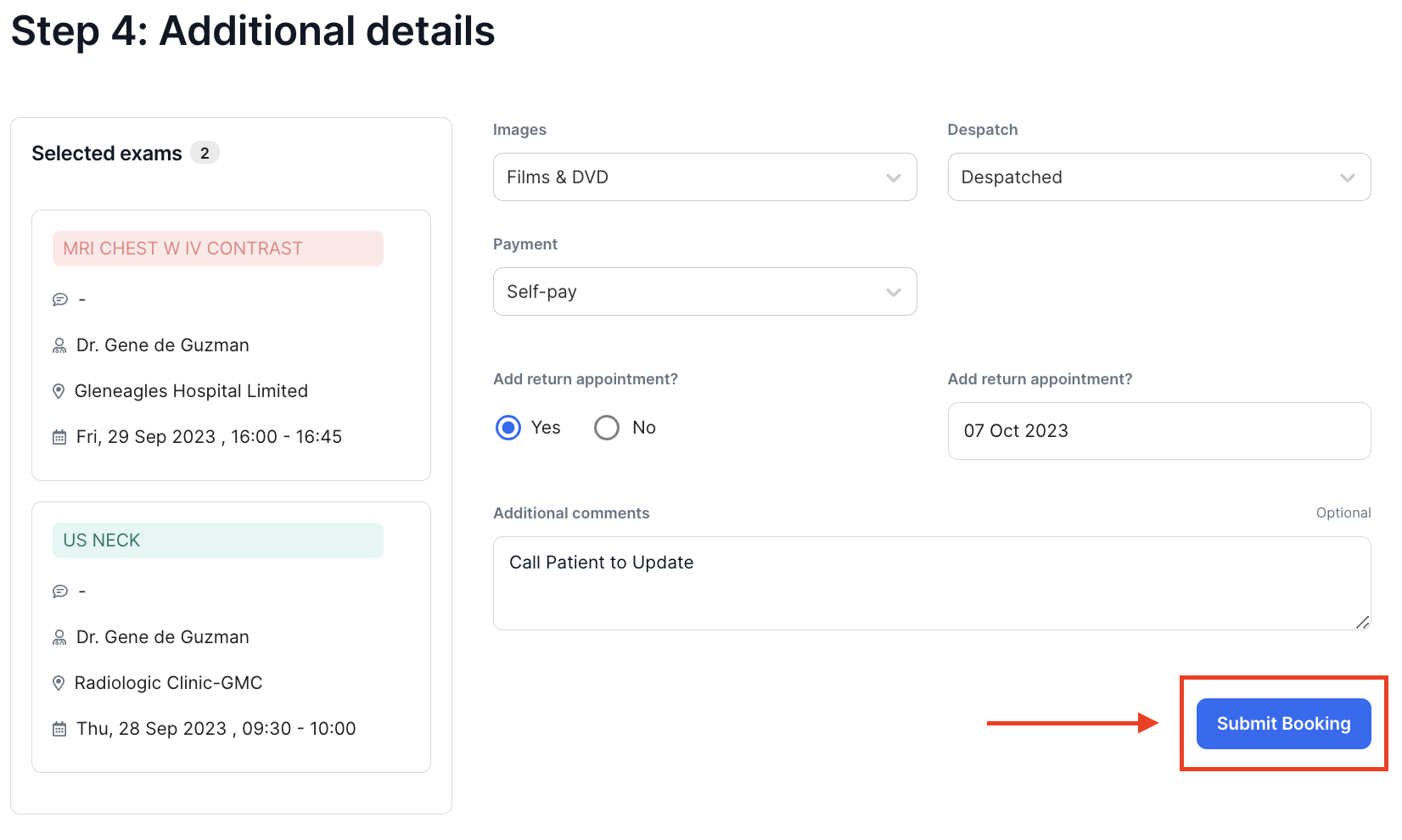
Add Return Appointment
Click on Yes to schedule a return appointment then select a date from the Calendar.
Additional Comments
Use this space to add any additional instructions or comments
2. When all the fields have been completed, click on Submit Booking.
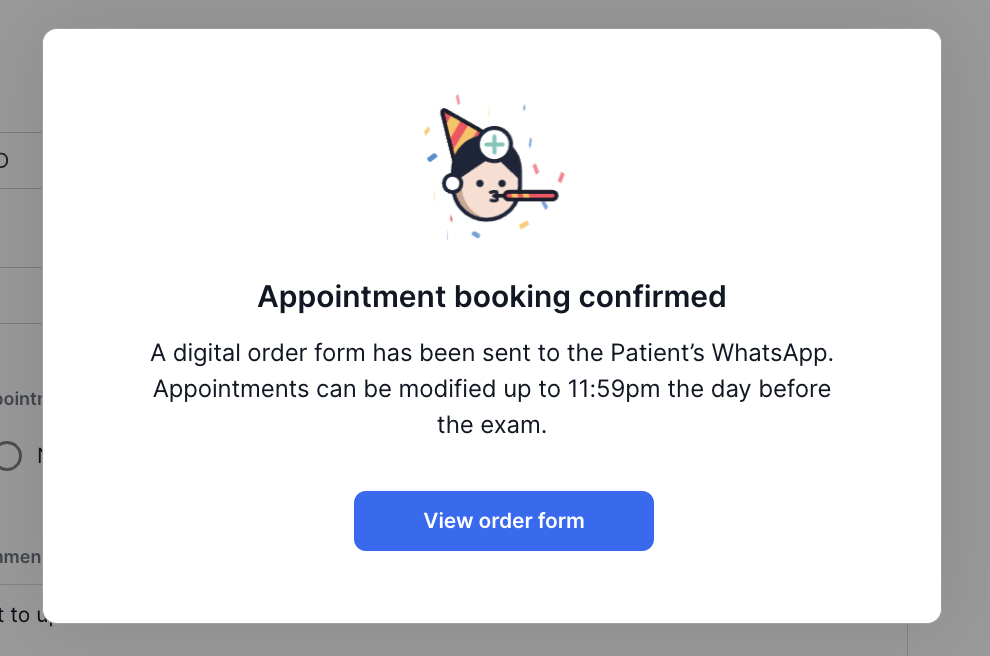
- A pop-up confirmation message will be displayed to confirm that your order has been booked. Click on View order form to see a summary of the booking.
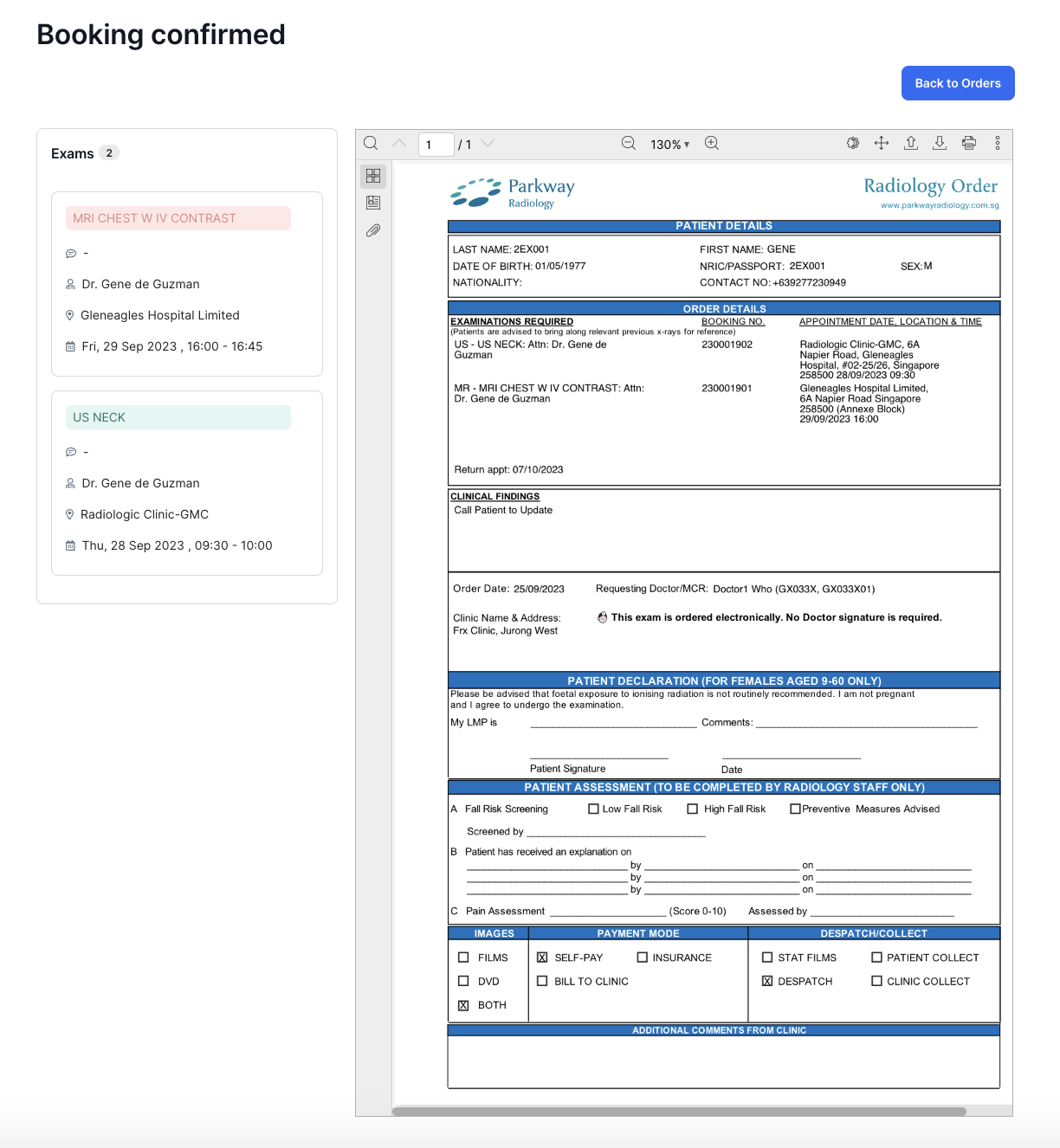
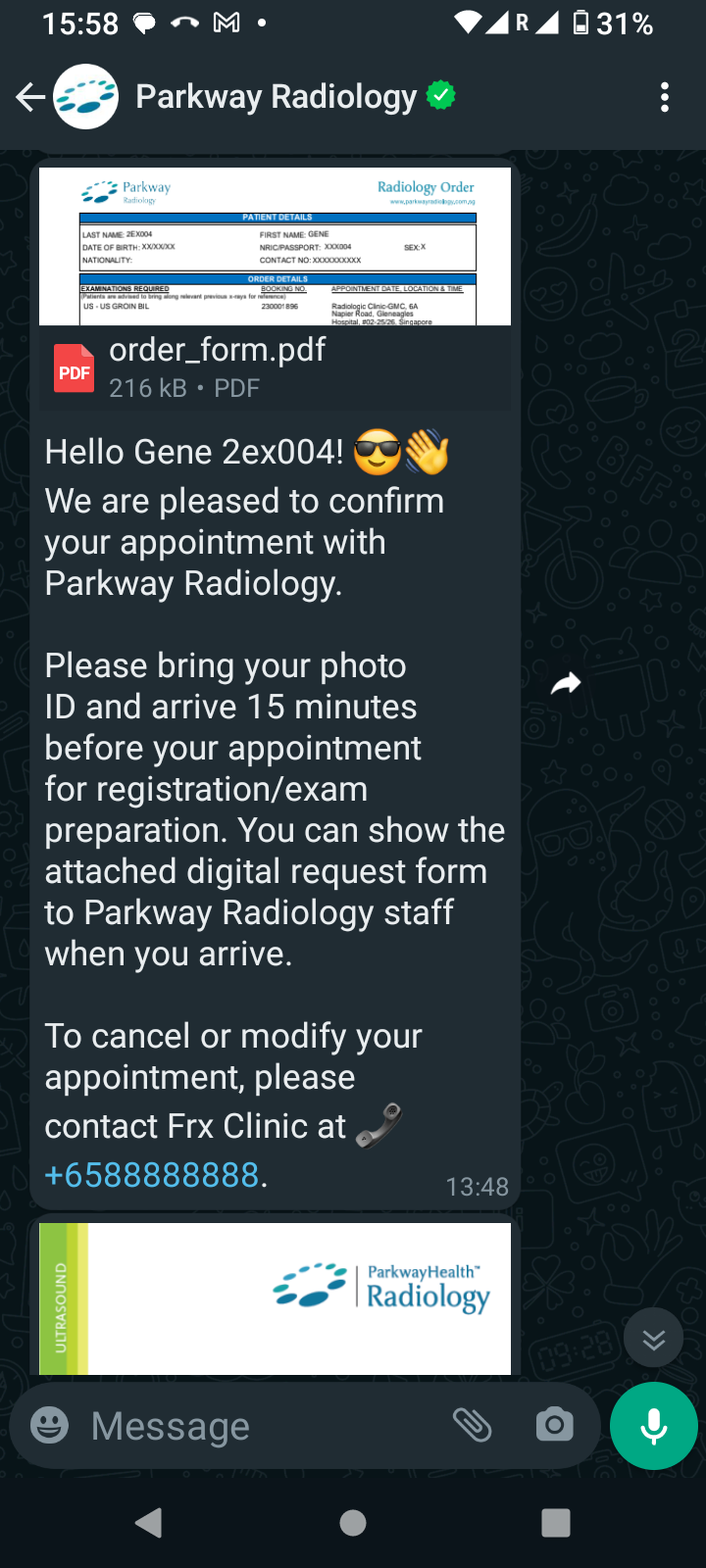
In addition, a digital order form will be sent to the patient's registered WhatsApp number.