Prefer to see the instructions in a Video?
Note: You must be logged in as a Doctor or Clinic Admin in order to create an order
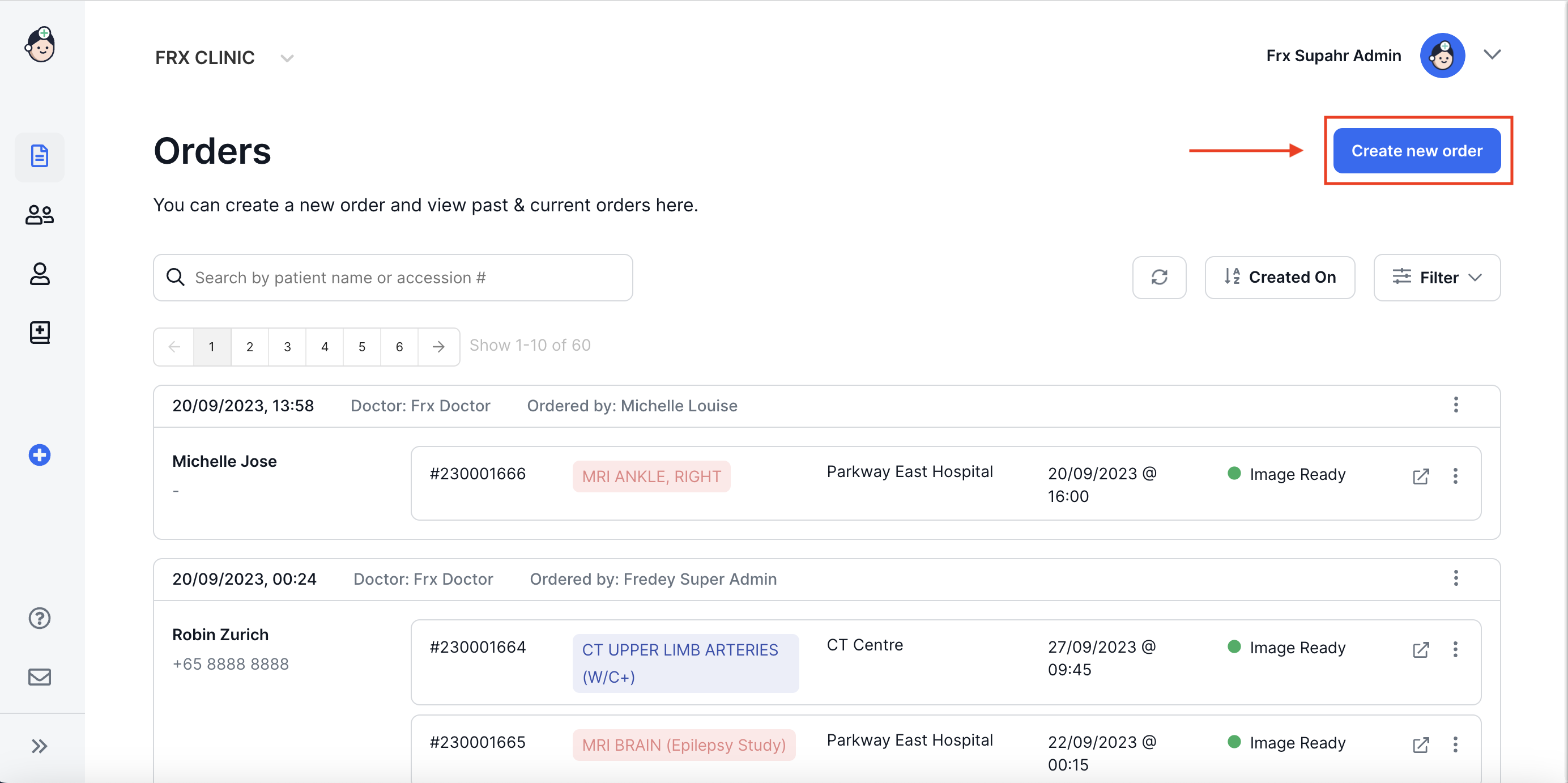
1. Click on Create New Order
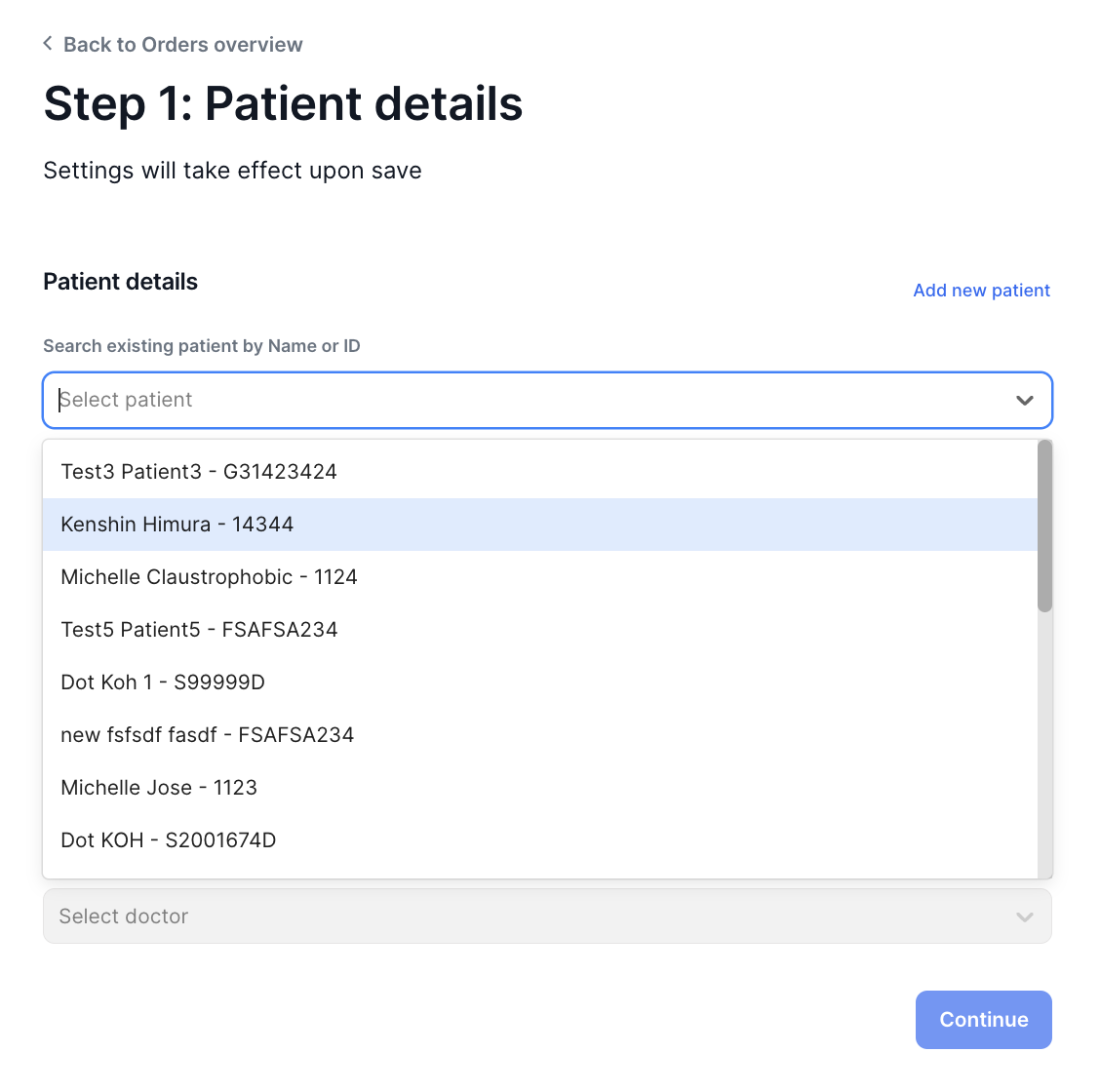
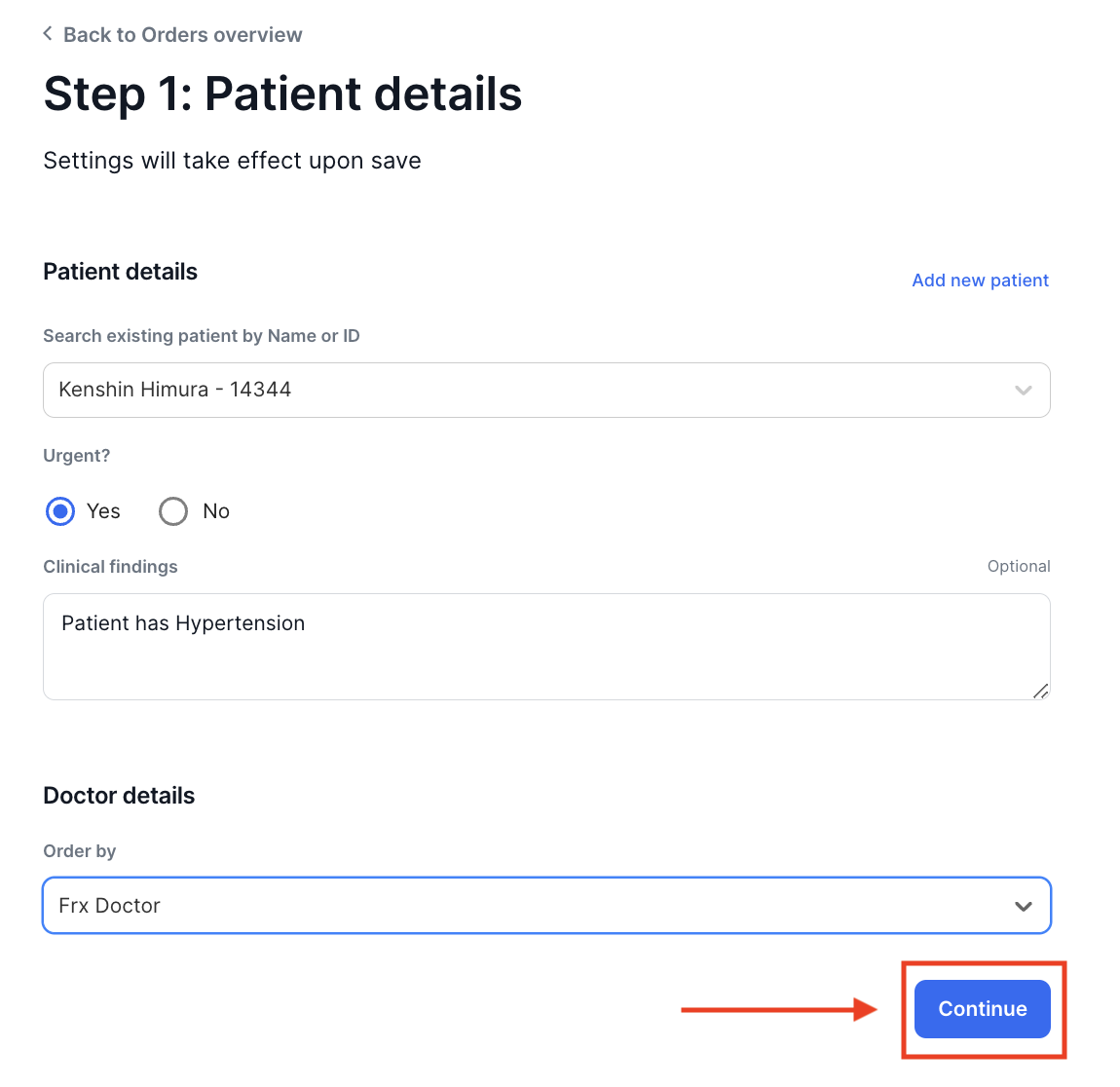
2. Select a Patient from the Drop Down List
- Select the appropriate urgency of the exam ordered and key in any clinical findings. Then select from the drop down list the Name of the Doctor who ordered the exam
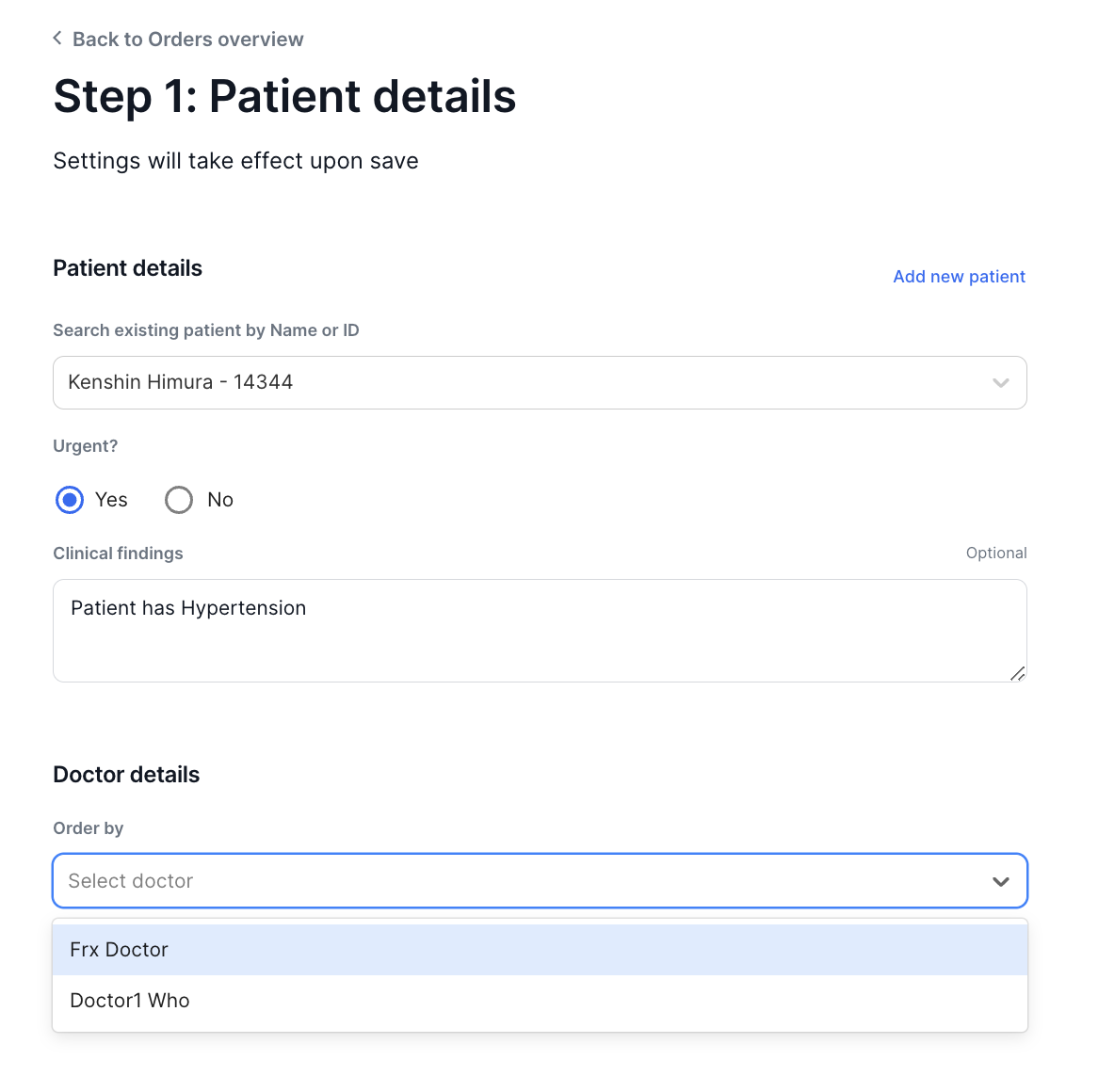
- Click on Continue to move to the next step.
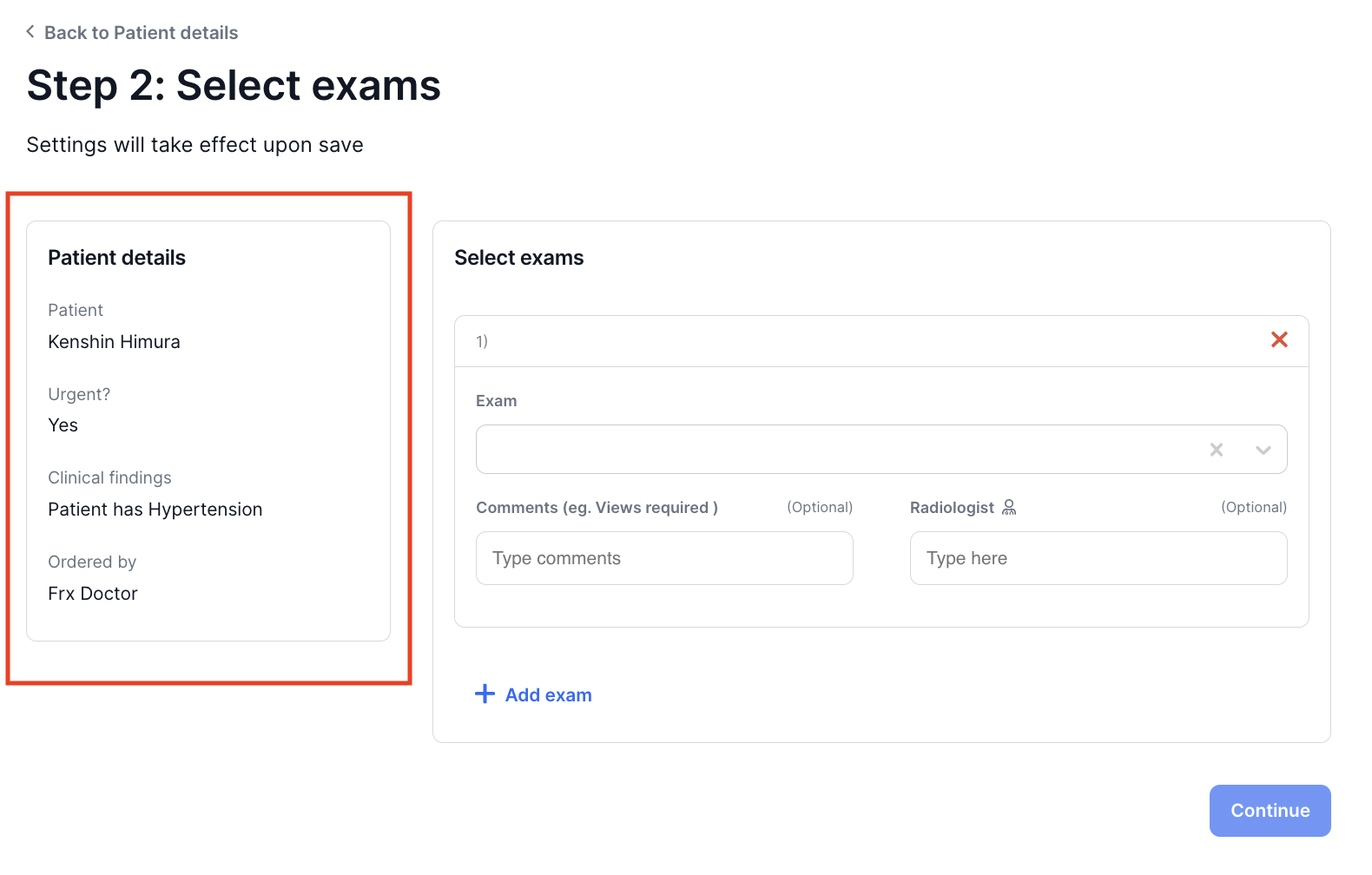
- Your patient's details are displayed on the left. You can now proceed to select exams to order.