Prefer to see the instructions in a Video?
After you have completed your Patient details you can now proceed to select exams to order.
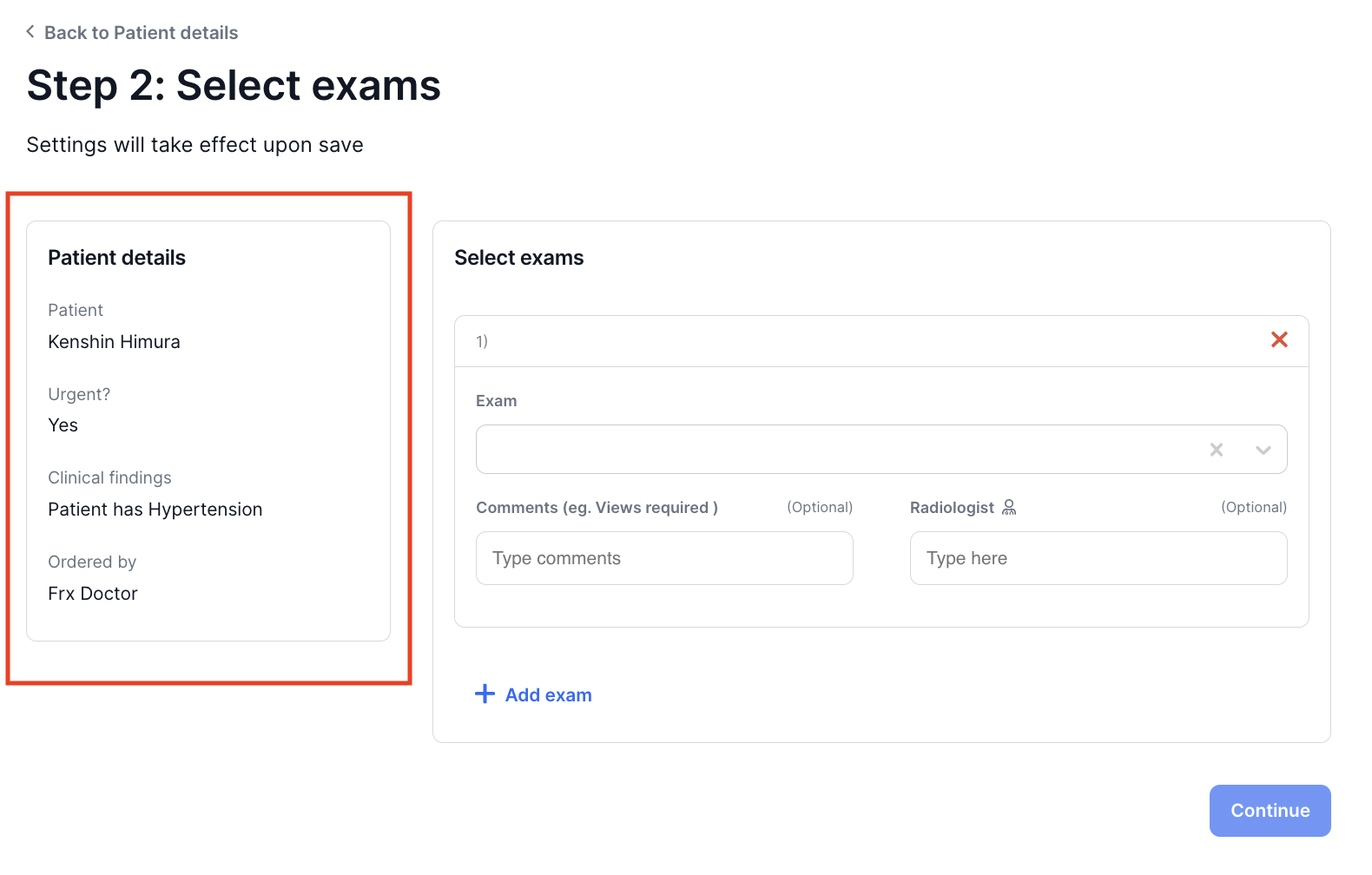
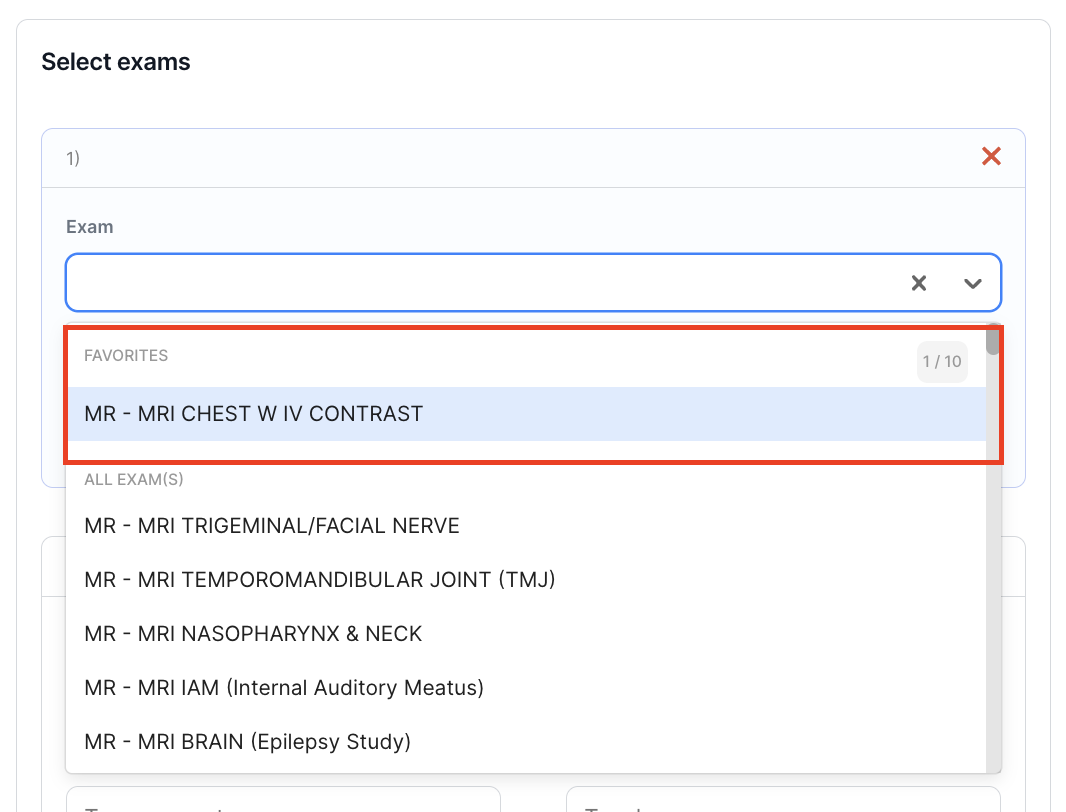
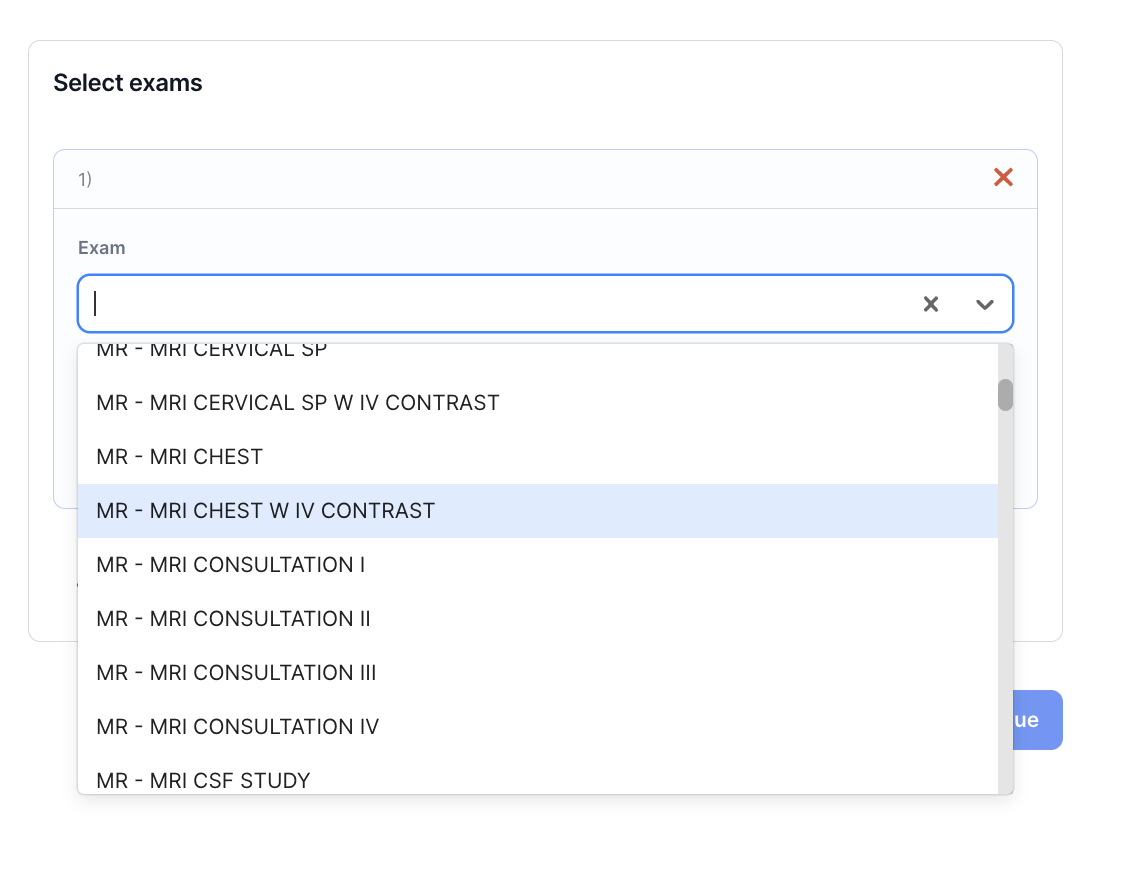
- Click on the examinations box to see the selection of available examinations available. You may type the exam code using the following as a guide:
- Magnetic Resonance Imaging (MR)
- Computed Tomography (CT)
- Ultrasound (US)
- X-Ray (XR)
- Bones Mineral Density (BMD)
- Vascular Access (VAS)
- Mammography (MG)
- You have the option to add some comments in your Order in the Comments section and indicate the name of the Radiologist.
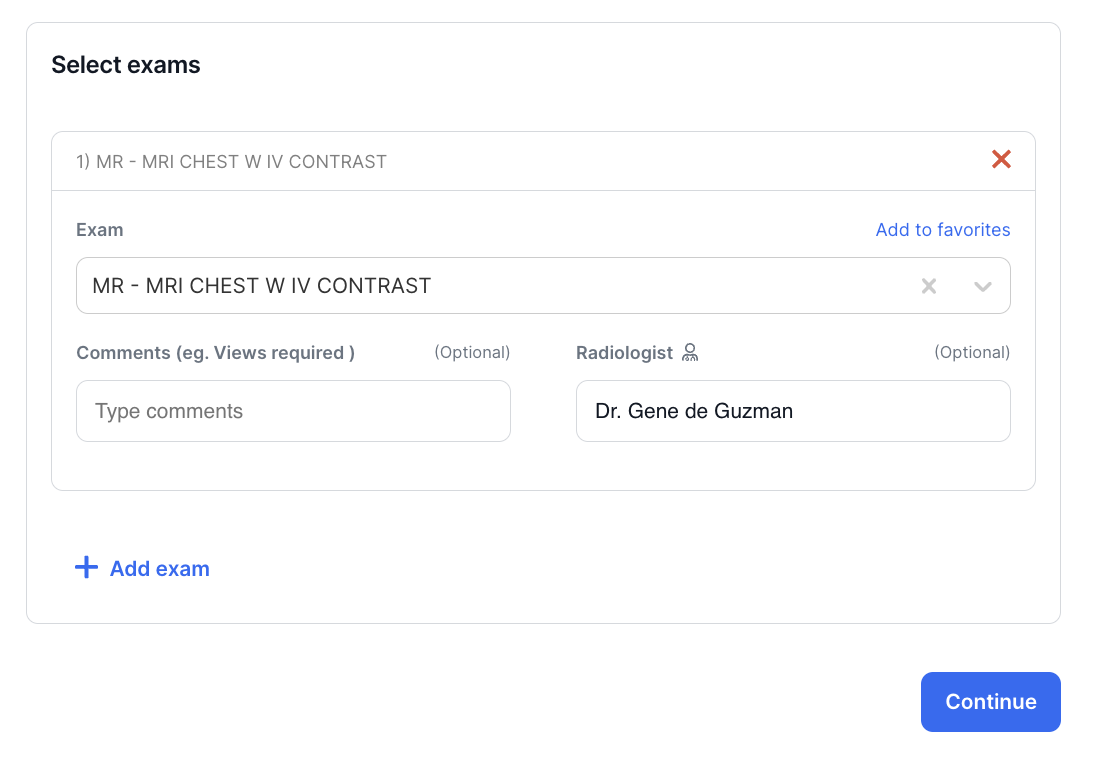
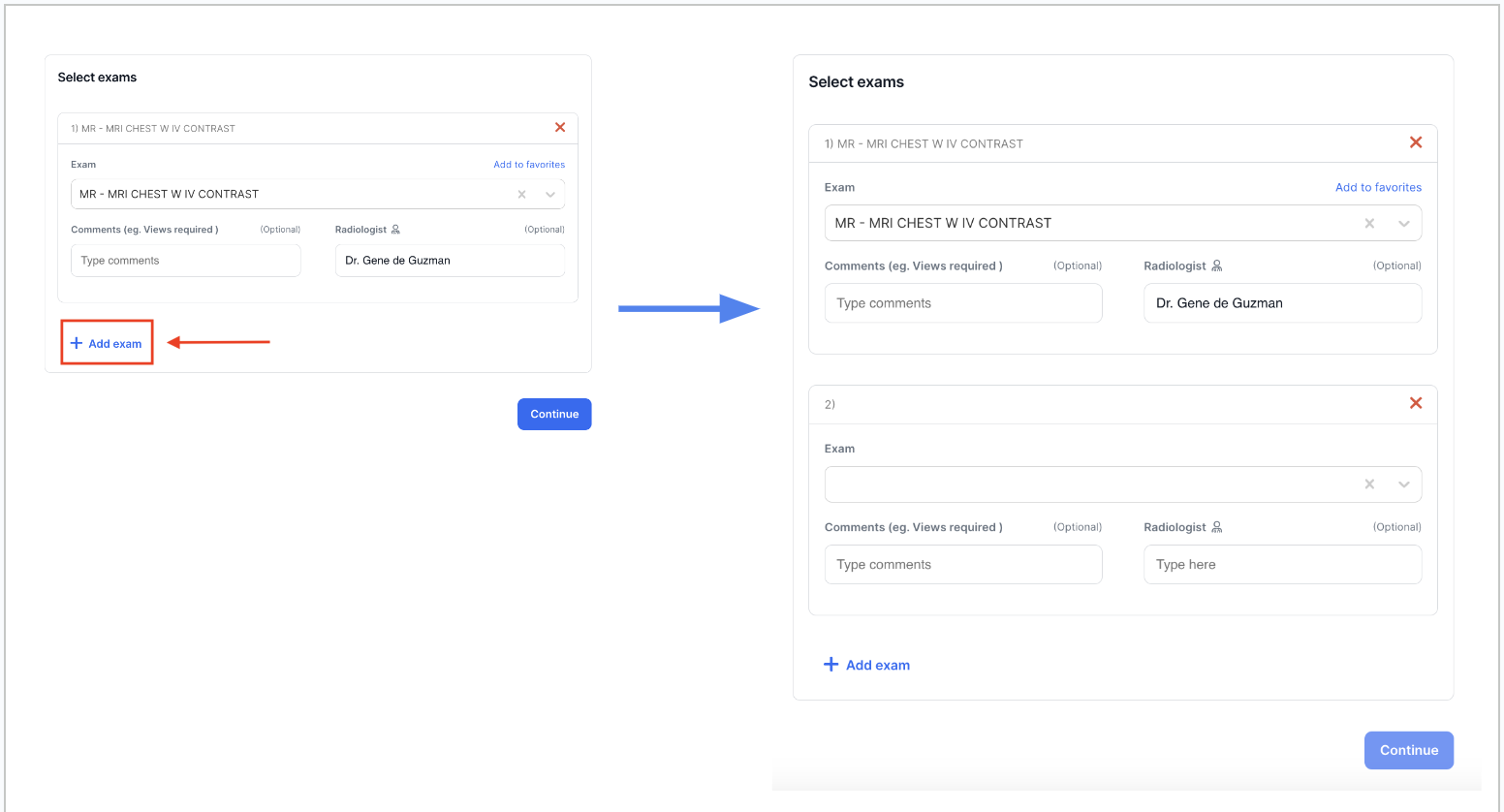
Note: You may add multiple exams to be ordered by simply clicking on "Add Exam" and repeating Steps 6 and 7 above.
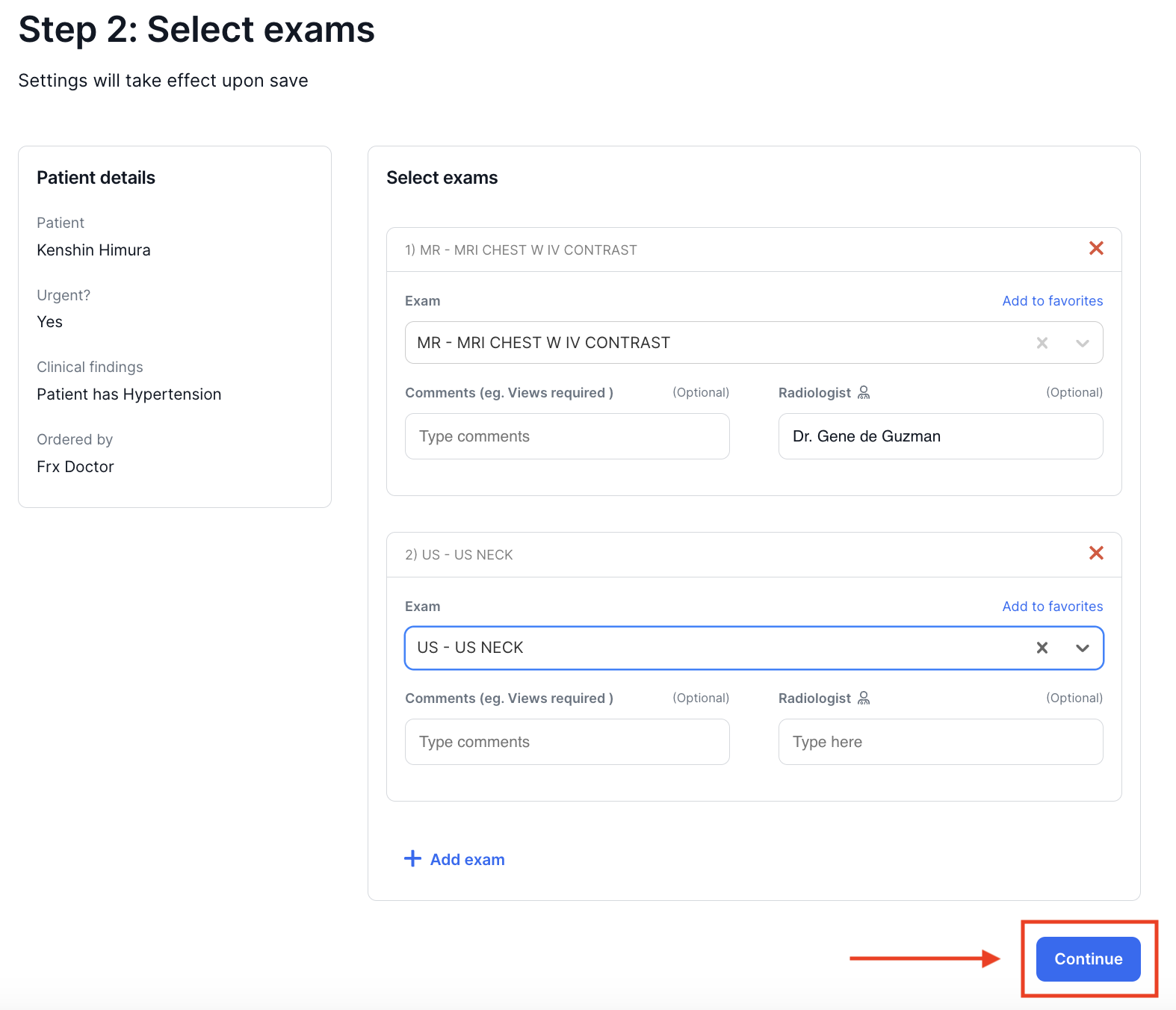
- After you have added all the exams you need to order, click on Continue
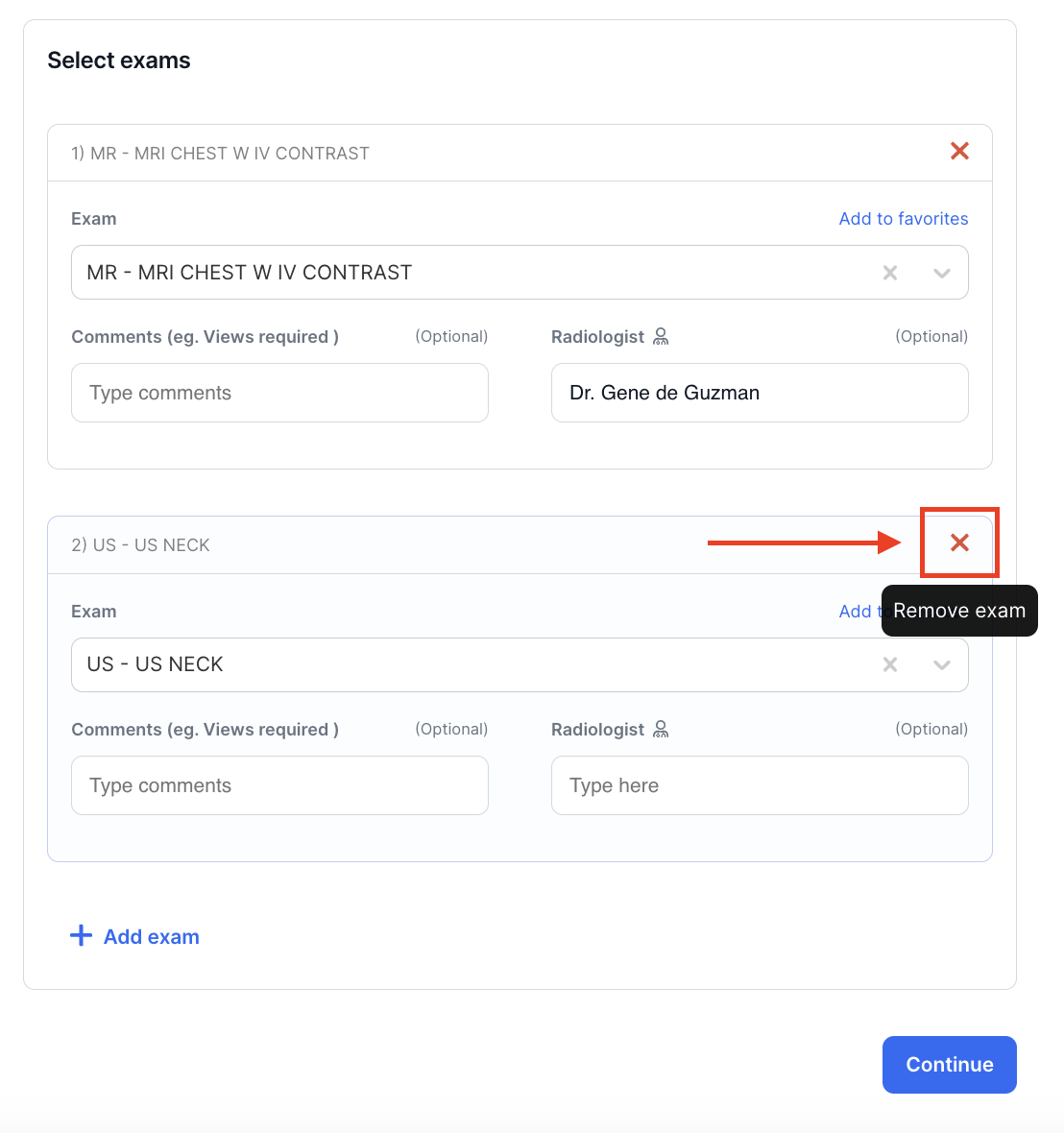
! - Made a mistake in an exam added? Click on the "X" on the right of the examination ordered to remove it from the list of Examinations Ordered
⚡️Pro Tip
You may add your most frequently ordered exams to Favorites so you don't have to search for them every time you create an order. Simply search for the exam in the search box, then click on Add to Favorites
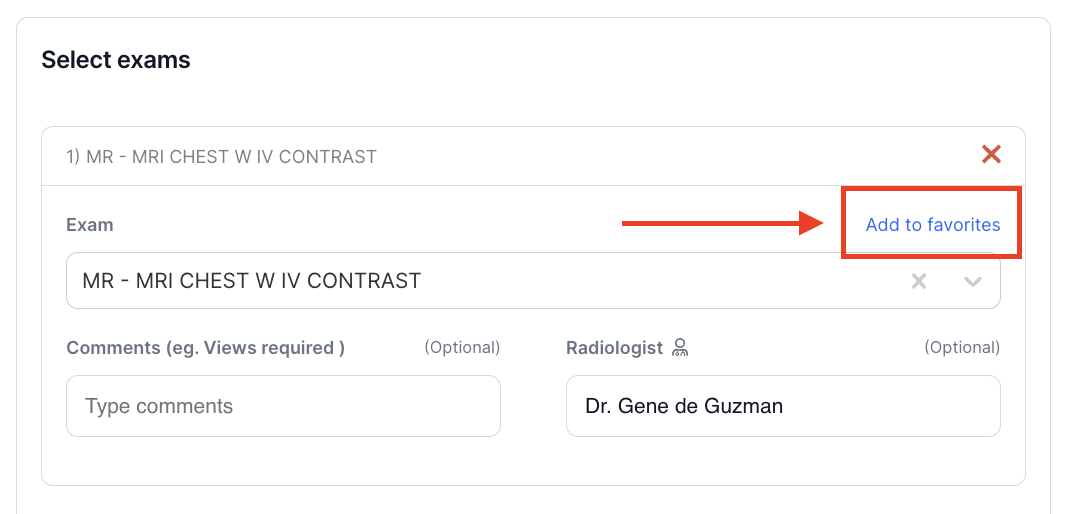
Your exam will be added to your list of Favorites. To order the exam, just select it from the Favorites list.