Prefer to see the instructions in a Video?
Before any booking order is created, a patient must have an existing profile in the system. This section will detail how to create a new patient profile.
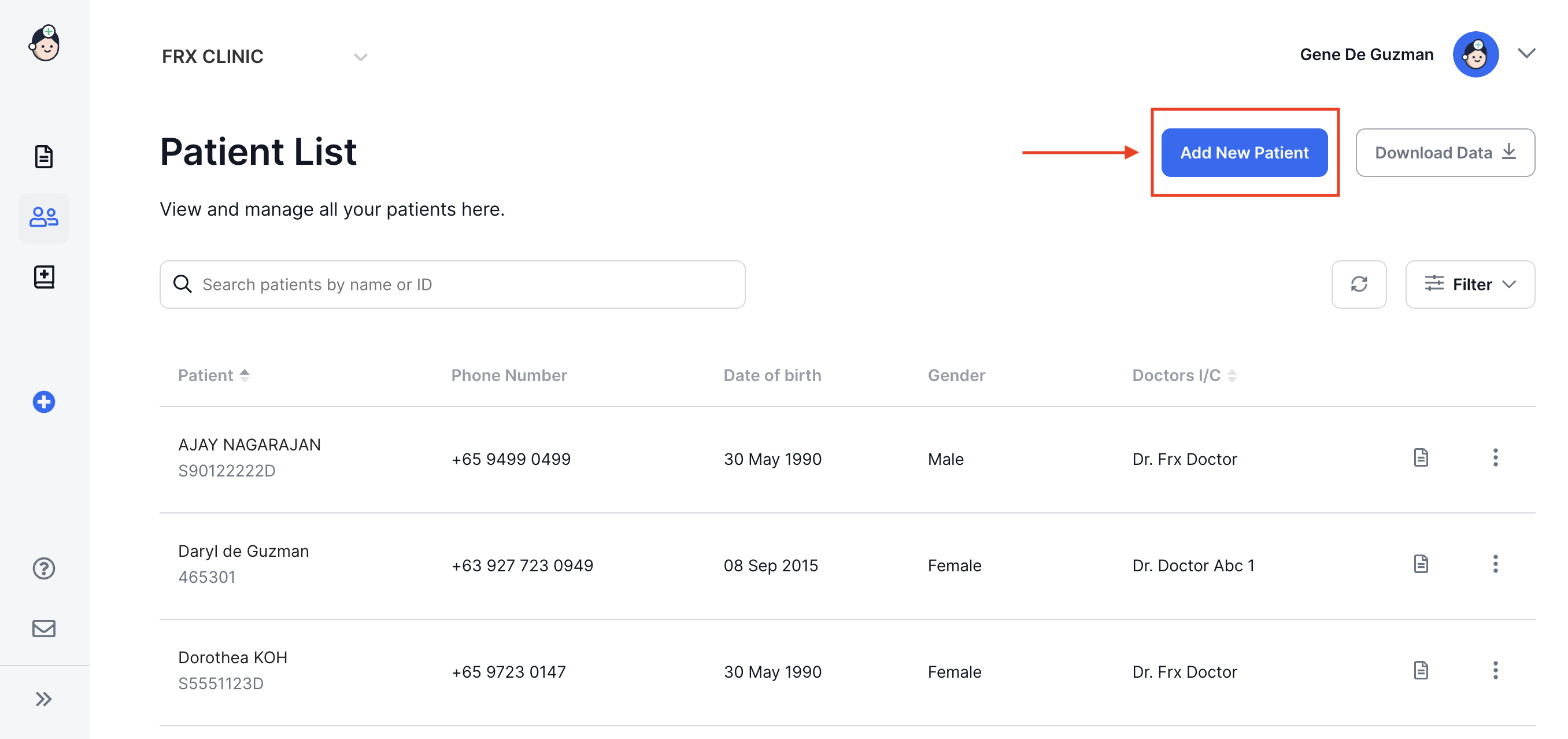
- Click on Add New Patient
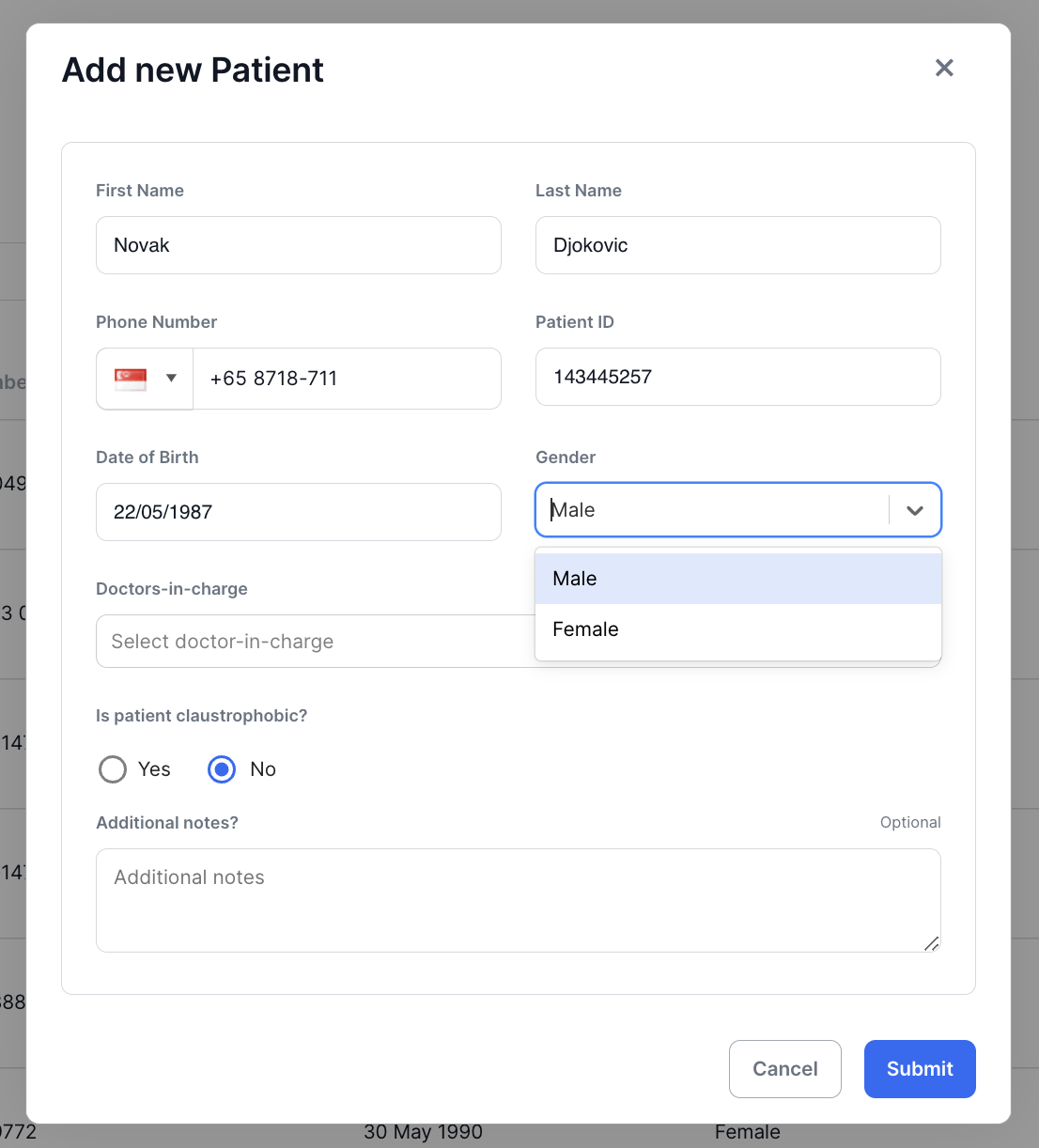
- Fill in the required details.
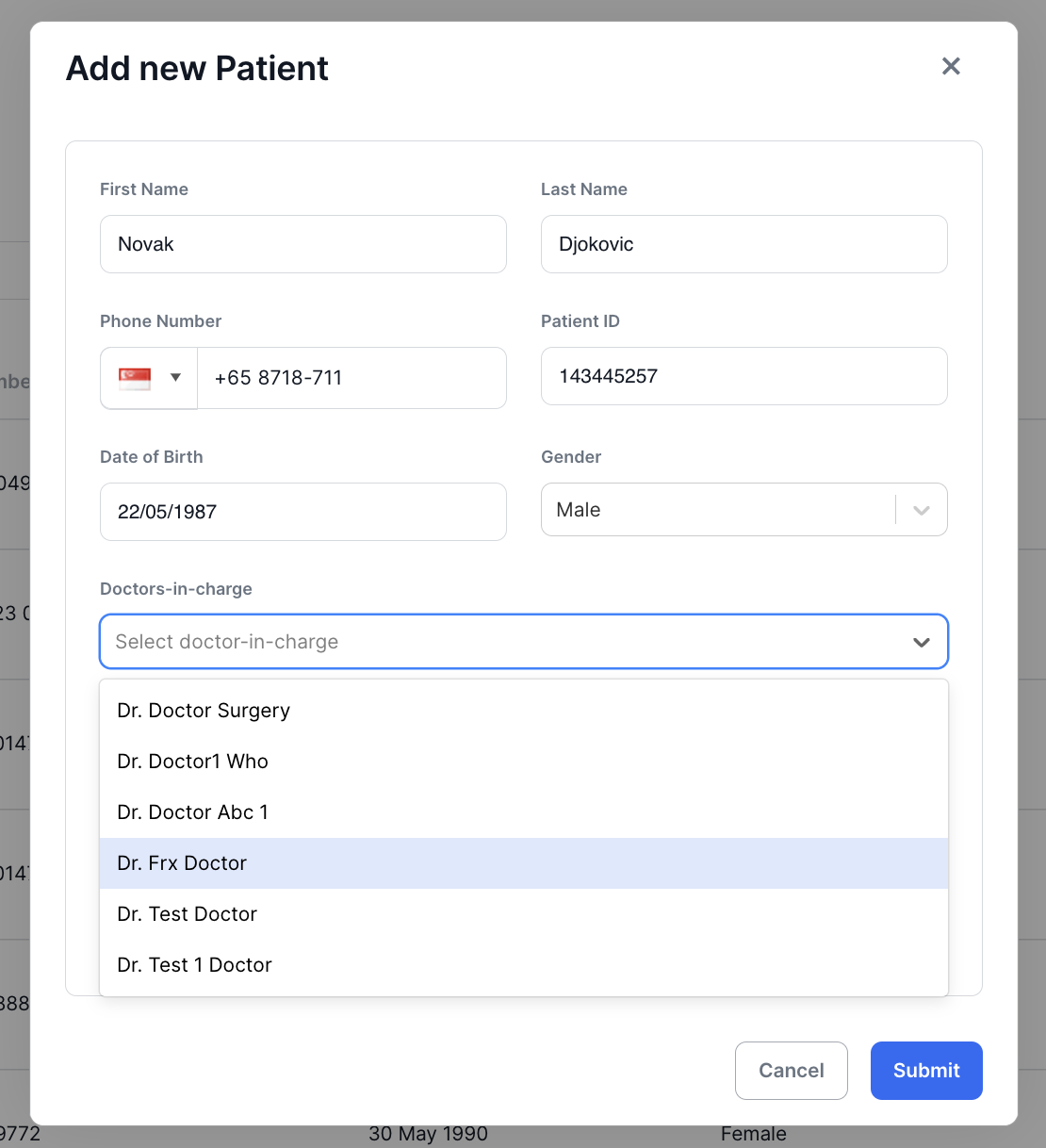
- Select the Doctors in Charge from the drop down list (you may select one or more as needed).
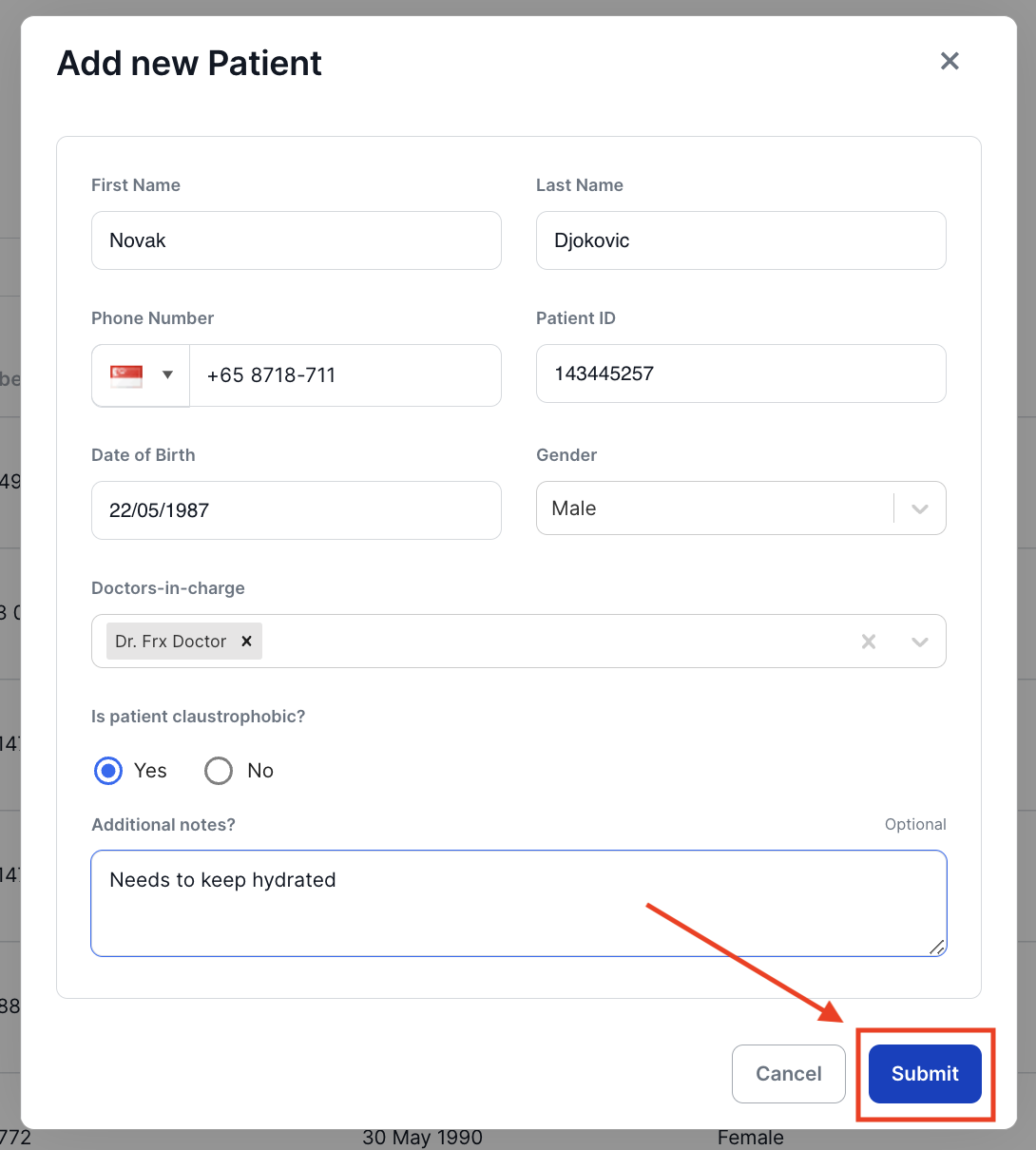
- Select if the patient is claustrophobic and add any additional notes on the field provided.
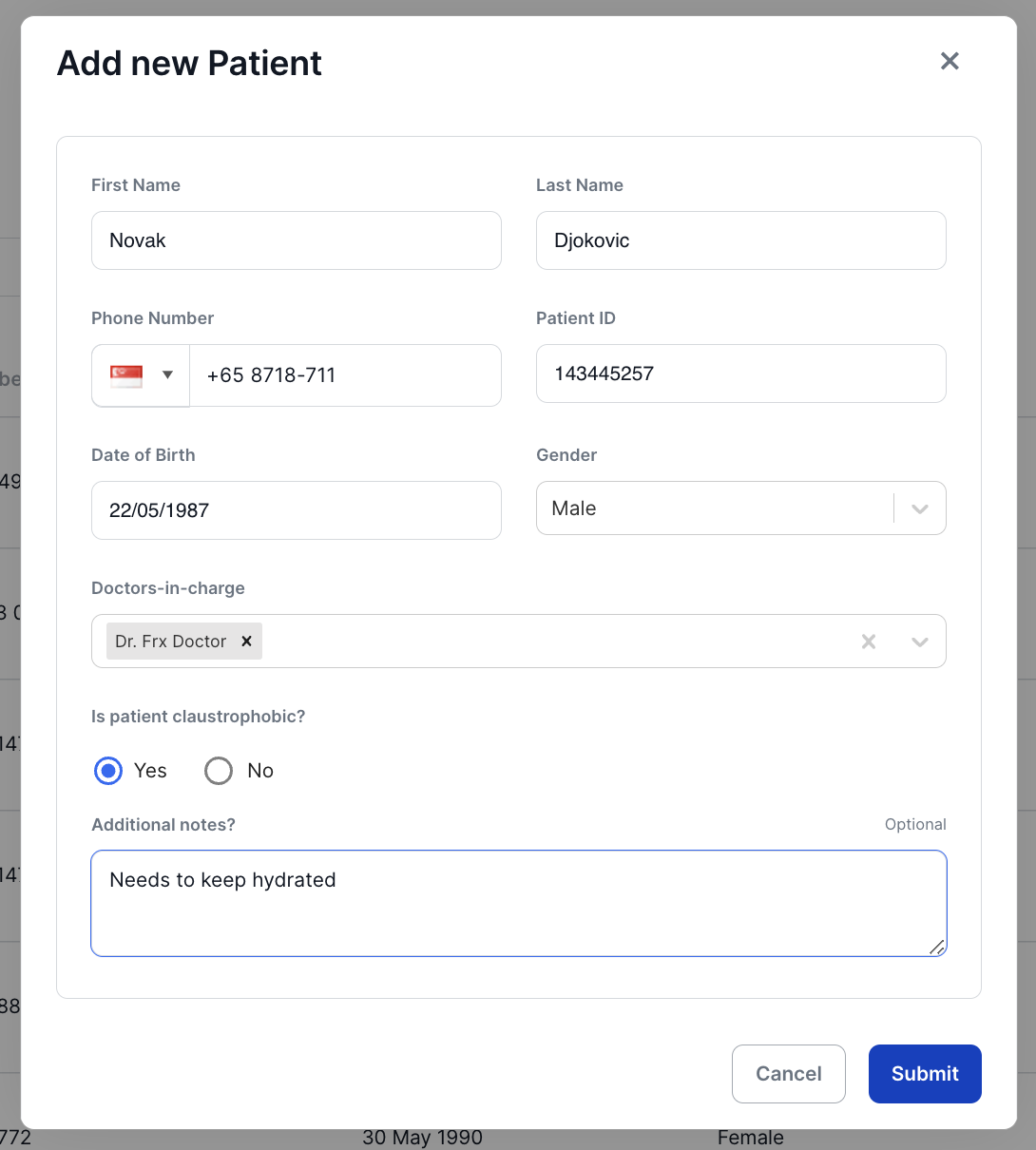
- Finally, click on Submit to save and add to the list of patients.