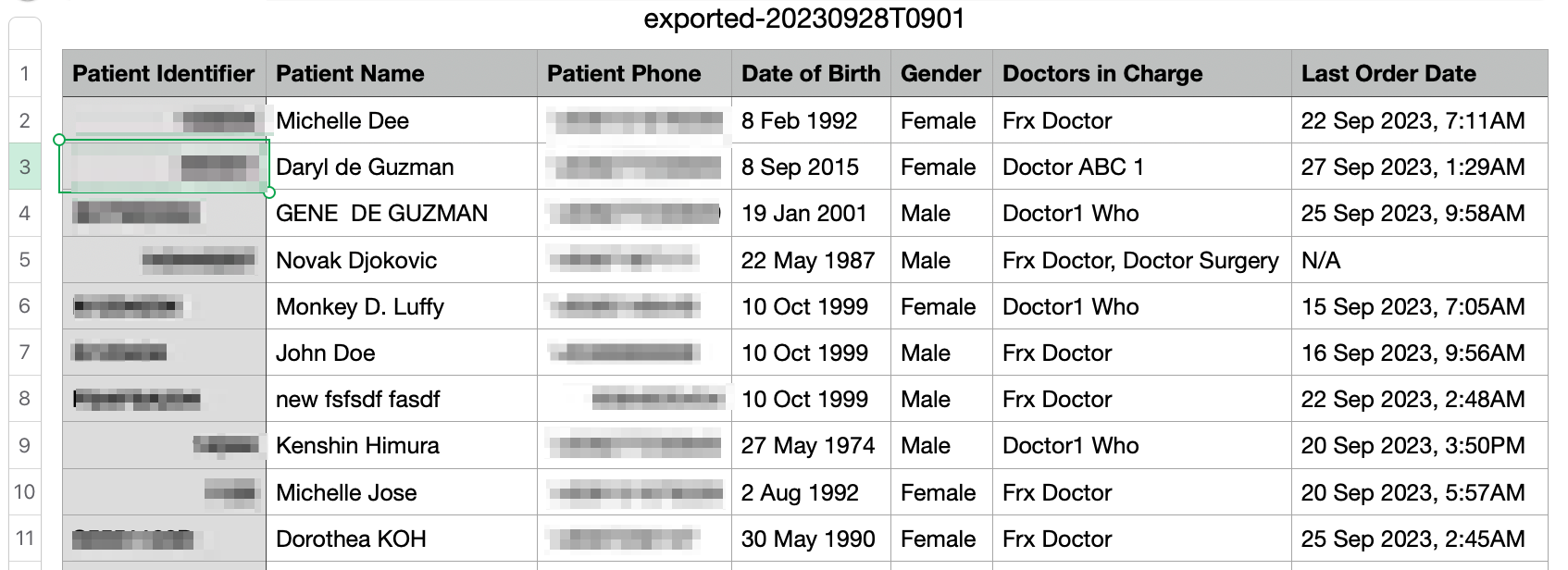
The Bot MD x Parkway dashboard allows you to download your patient data in a quick csv format.
1. In Patient List, click on Download Data
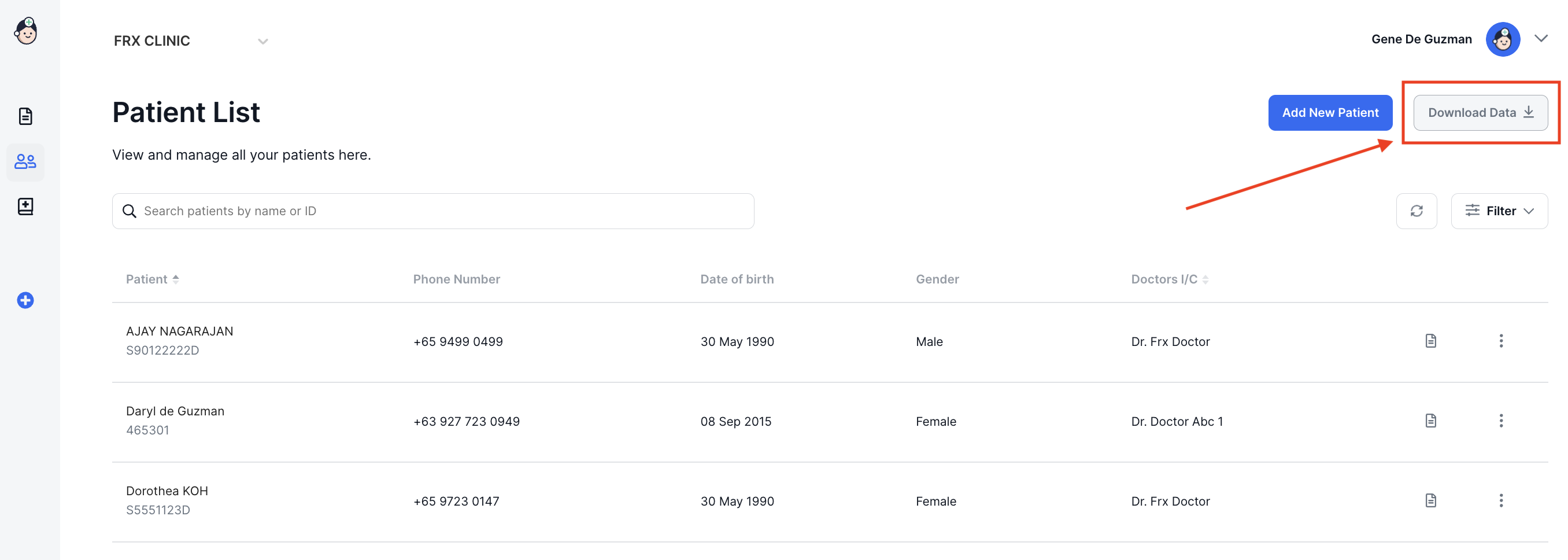
2. The system will prepare your file, then the download will automatically start.


3. Open your downloaded csv file with a spreadsheet editor (e.g. Excel or Numbers). The CSV file contains the following information:
- Patient Identifier
- Patient Name
- Patient Phone Number
- Date of Birth
- Gender
- Doctor(s) in charge
- Last Order Date