Requesting Additional Clinical Admin Users
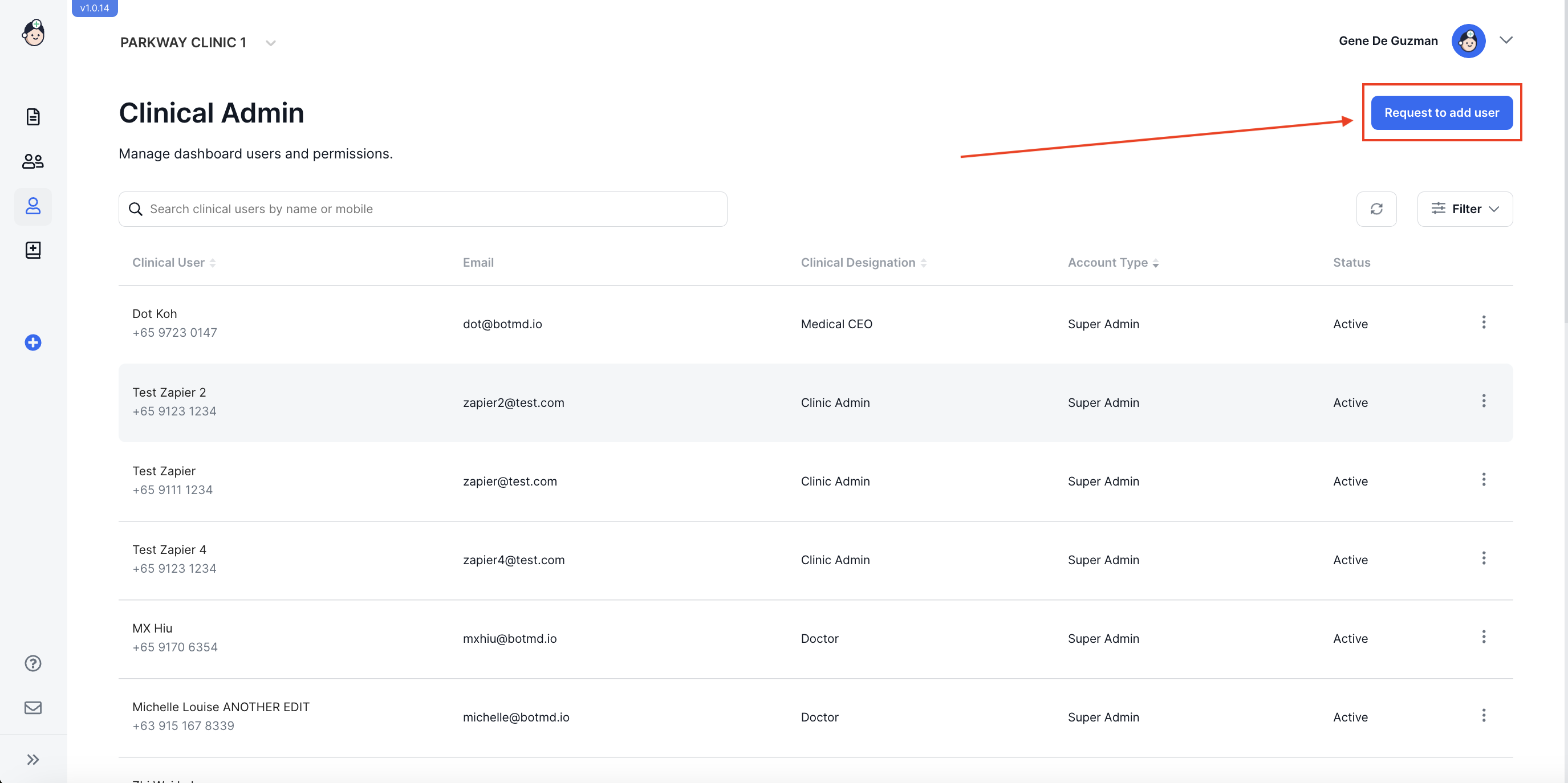
- In the Clinical Admin page click on the Request to Add user button on the upper right of the screen.
- Fill in the fields with user's details, then choose an Account Type from the drop down field.
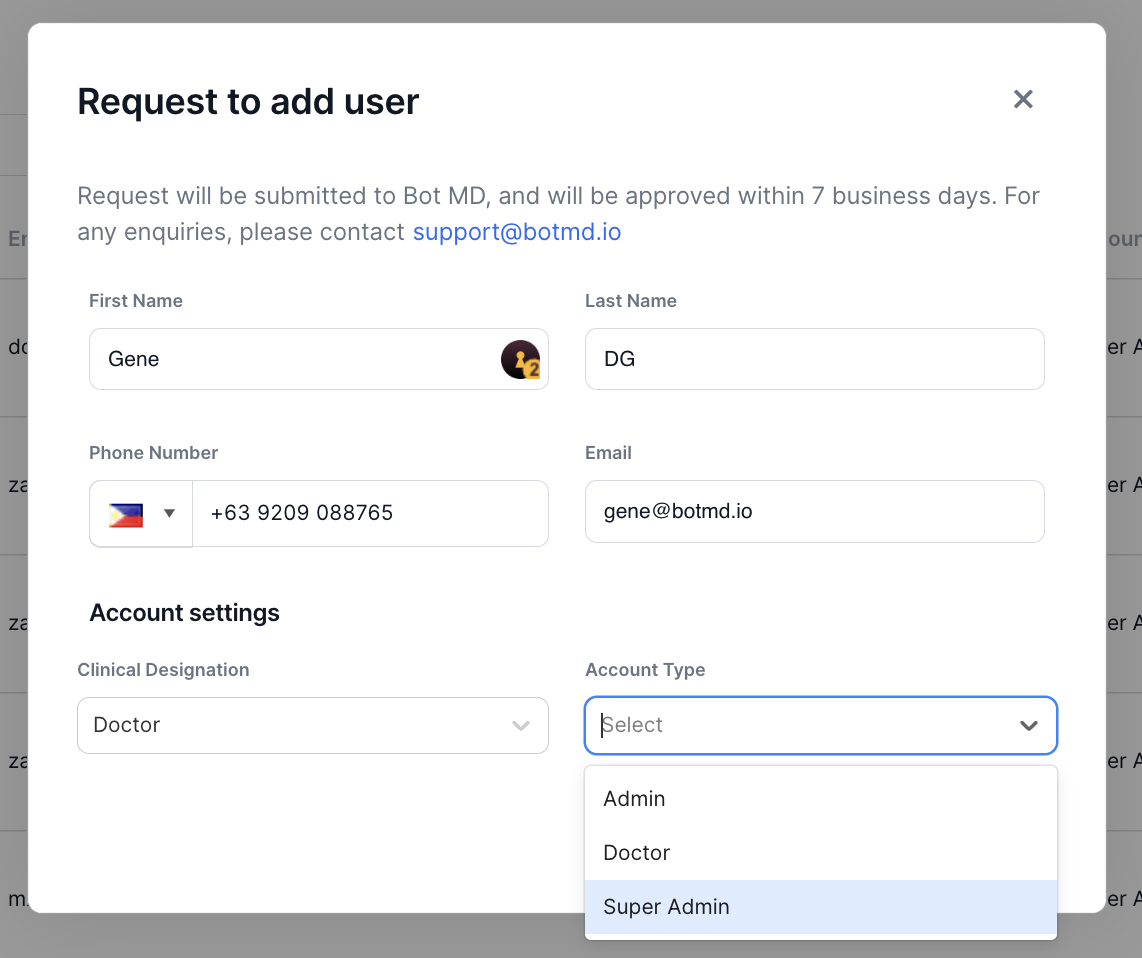
Note: The following account types that may be selected are:
Admin - Can create and edit orders to her/his associated doctors only, and can add or edit patients associated to those doctors. An admin cannot request for additional, or edit Clinical Admin user profiles via the dashboard.
Doctor - Can create and/or edit orders, and can edit only the orders that she/he created. A doctor cannot request for additional, or edit Clinical Admin user profiles via the dashboard.
Super admin - Can create and edit orders for any doctor, and can add/edit all patients, they can add/manage all staffs
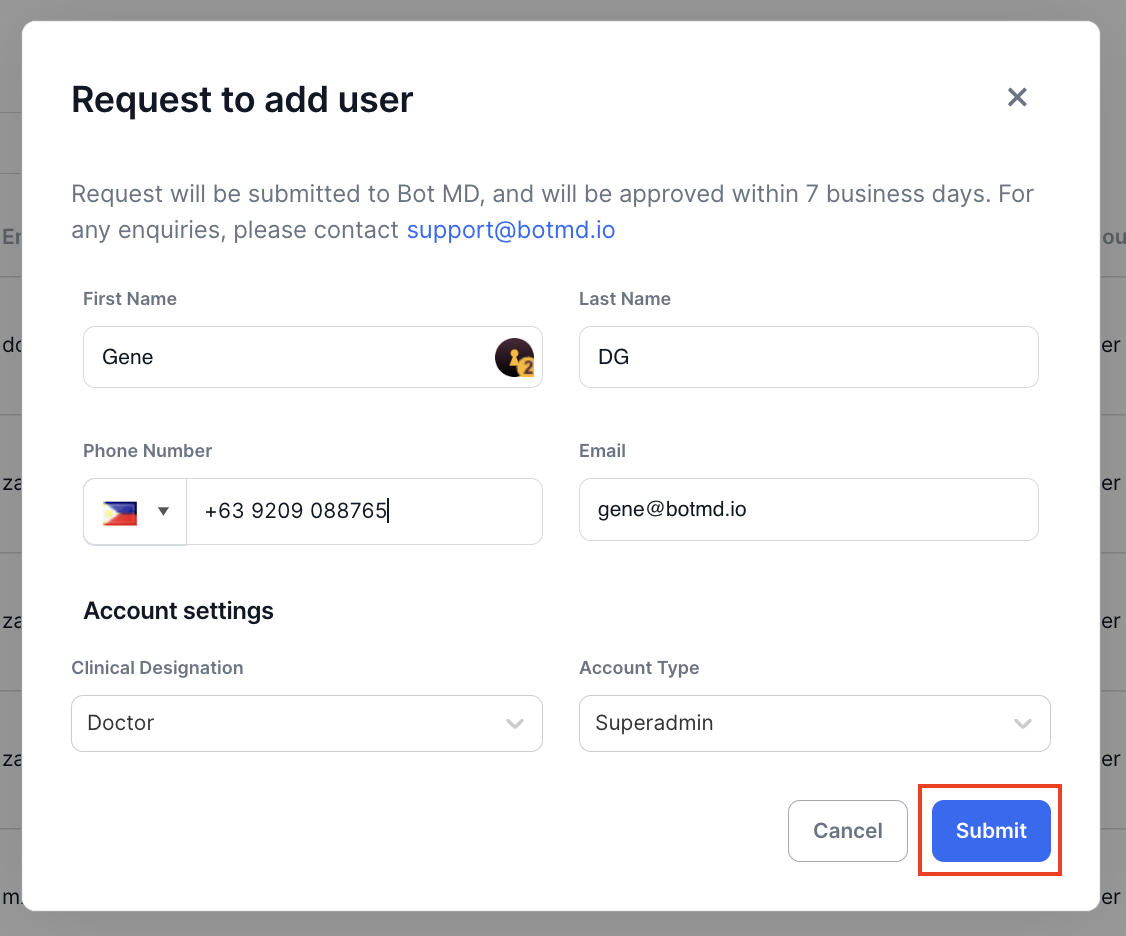
- Click on Submit to save this entry and send for approval.
Editing a Clinical Admin User Profile
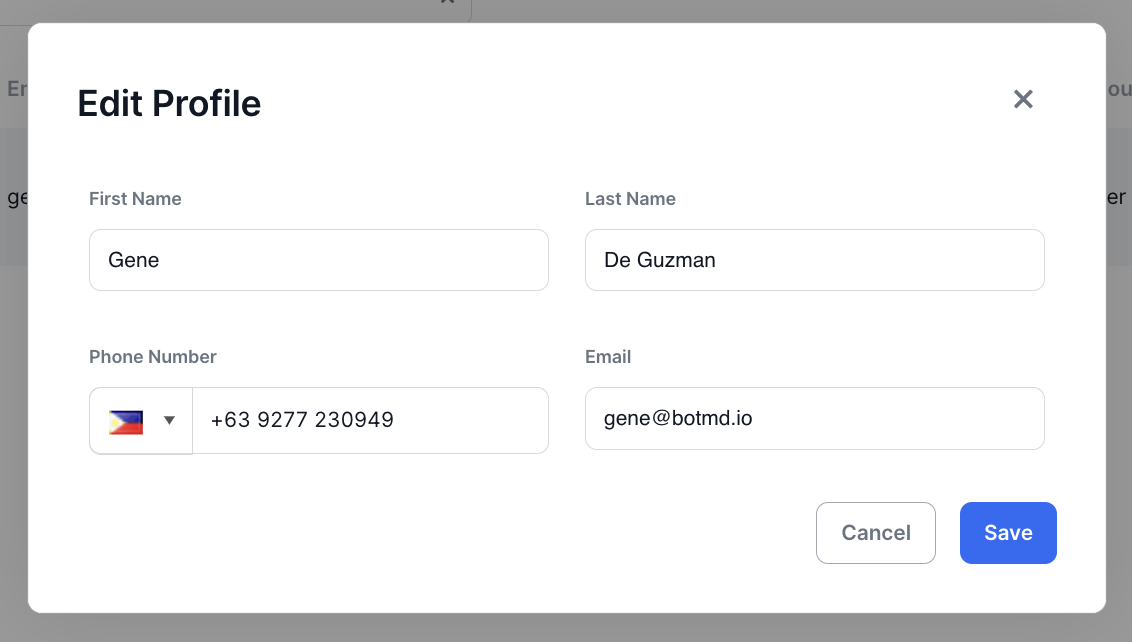
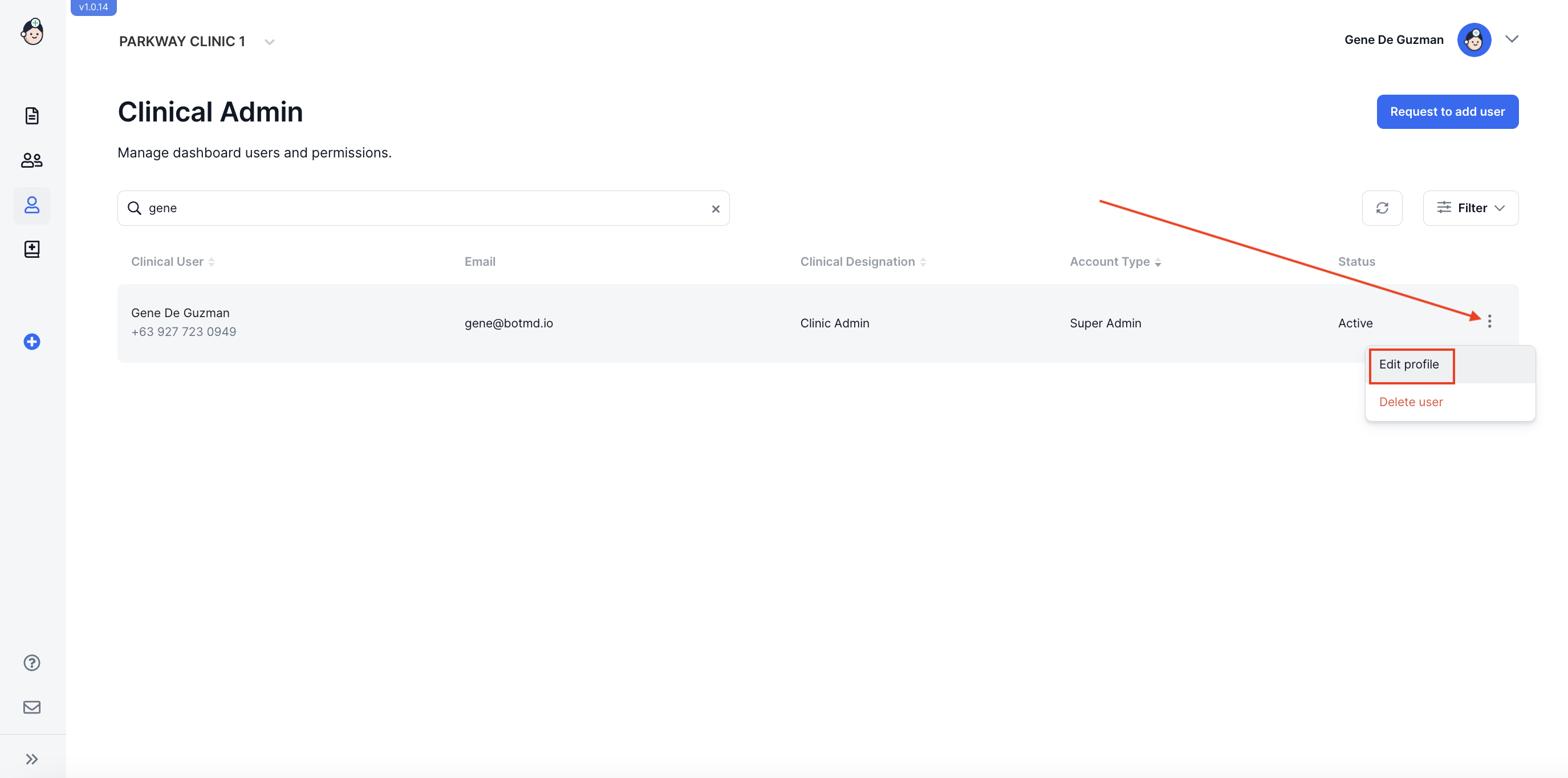
- In the Clinical Admin page, search for your patient by typing her/his name in the search field, then click on More Settings and select Edit Profile.
- Make the necessary changes on the appropriate field(s) and click on Save.